Filter Menu
Apply filters to the table, click close when done
Business
+1 more
Business
Apr 15, 2025
Zero in on the one invoice you need
You can now filter for invoices however you want: by key details like due date, invoice status, customer, invoice number, and amount. Quickly check when payments are due, or toggle to view your recurring invoices — all in one streamlined view.
Apr 1, 2025
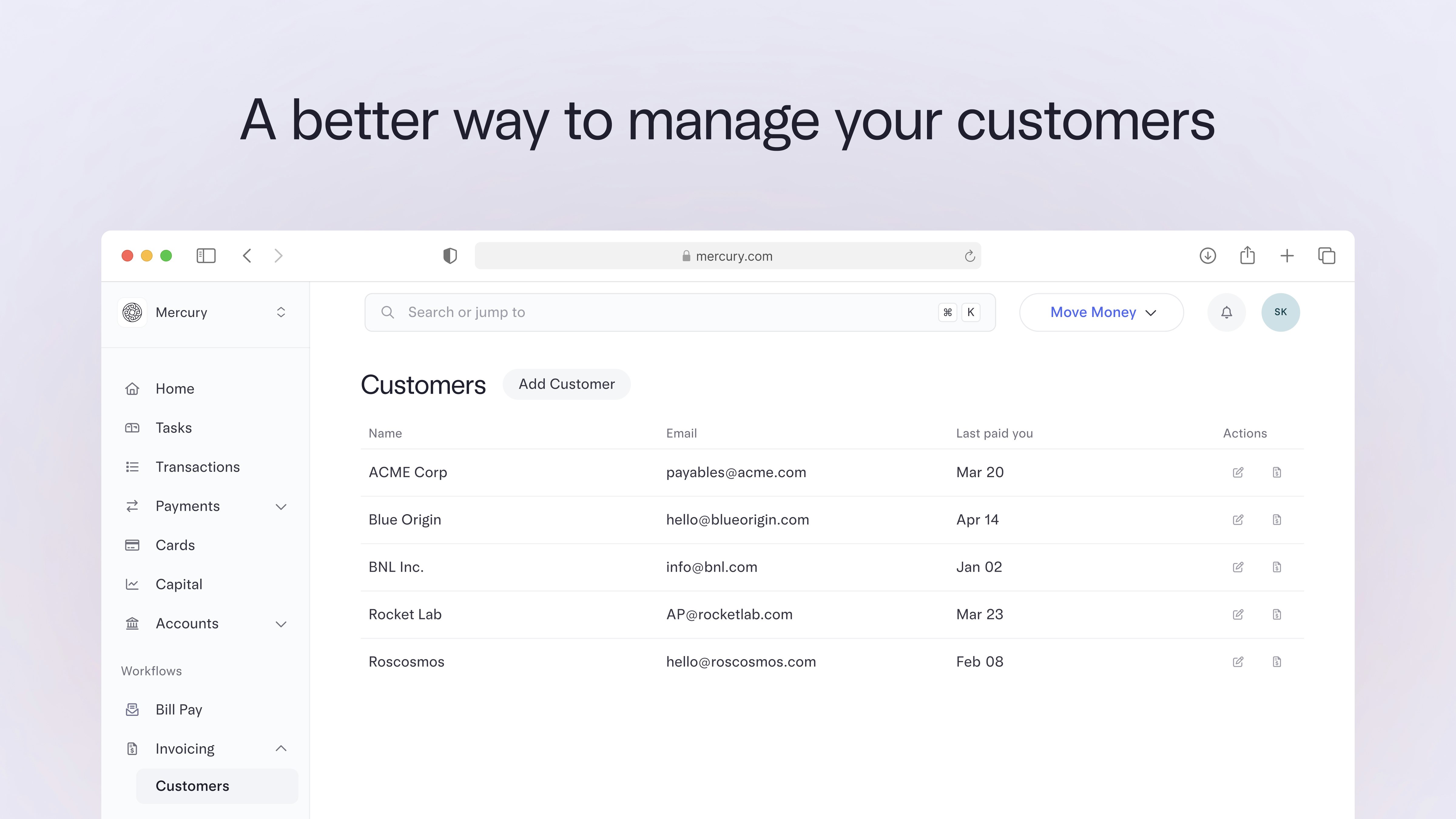
Keep customer info current, right in your account
As your customer list grows, you’ll want a simpler way to manage it. The new Customers page under Invoicing makes it easy to manage profiles and send invoices — all in one place.
Here’s what you can do:
To check it out, head to your sidebar, click Invoicing, then select Customers from the dropdown.
Here’s what you can do:
- Add, edit, or delete customer profiles with just a few clicks
- Send invoices directly from a customer profile to save time
- Update customer details in an invoice and apply changes across all open invoices
- Quickly view the latest payment info to stay on top of who’s paid you
To check it out, head to your sidebar, click Invoicing, then select Customers from the dropdown.
Apr 1, 2025
Stop fraud in its tracks with a text
We’ve added an extra layer of protection for cardholders. 3D Secure identity verification is now live to flag any transactions that look out of the ordinary. When verification is needed, cardholders will get a push notification and an email with a link to confirm the purchase.
Apr 1, 2025

Accountants, meet your new client dashboard: Advisor Portal
The new Advisor Portal is here to make life easier for our Mercury for Accountants partners. This all-in-one tool helps accounting firms manage both their teams and their clients — right from one streamlined dashboard.
Here’s what you can do with Advisor Portal:
If you have bookkeeper permissions or are part of an accounting firm, keep an eye out for an invitation in your Mercury dashboard to create your Portal.
Here’s what you can do with Advisor Portal:
- See all your clients in one place. Add, remove, and access accounts from your accountant dashboard.
- Assign clients to specific team members to control access to company data. Plus, set custom permission levels for each team member.
- Save time spent downloading statements by batch downloading them for all clients in one bulk file.
If you have bookkeeper permissions or are part of an accounting firm, keep an eye out for an invitation in your Mercury dashboard to create your Portal.
Mar 15, 2025

iOS: Upload receipt images to Mercury with a nifty shortcut
Our iOS app users can now upload receipts to Mercury directly from their Photos app. When you have a file to upload, just tap the share icon in the bottom left corner and select Mercury from the app selection. From there, we’ll match it to the right transaction automatically.
Mar 1, 2025
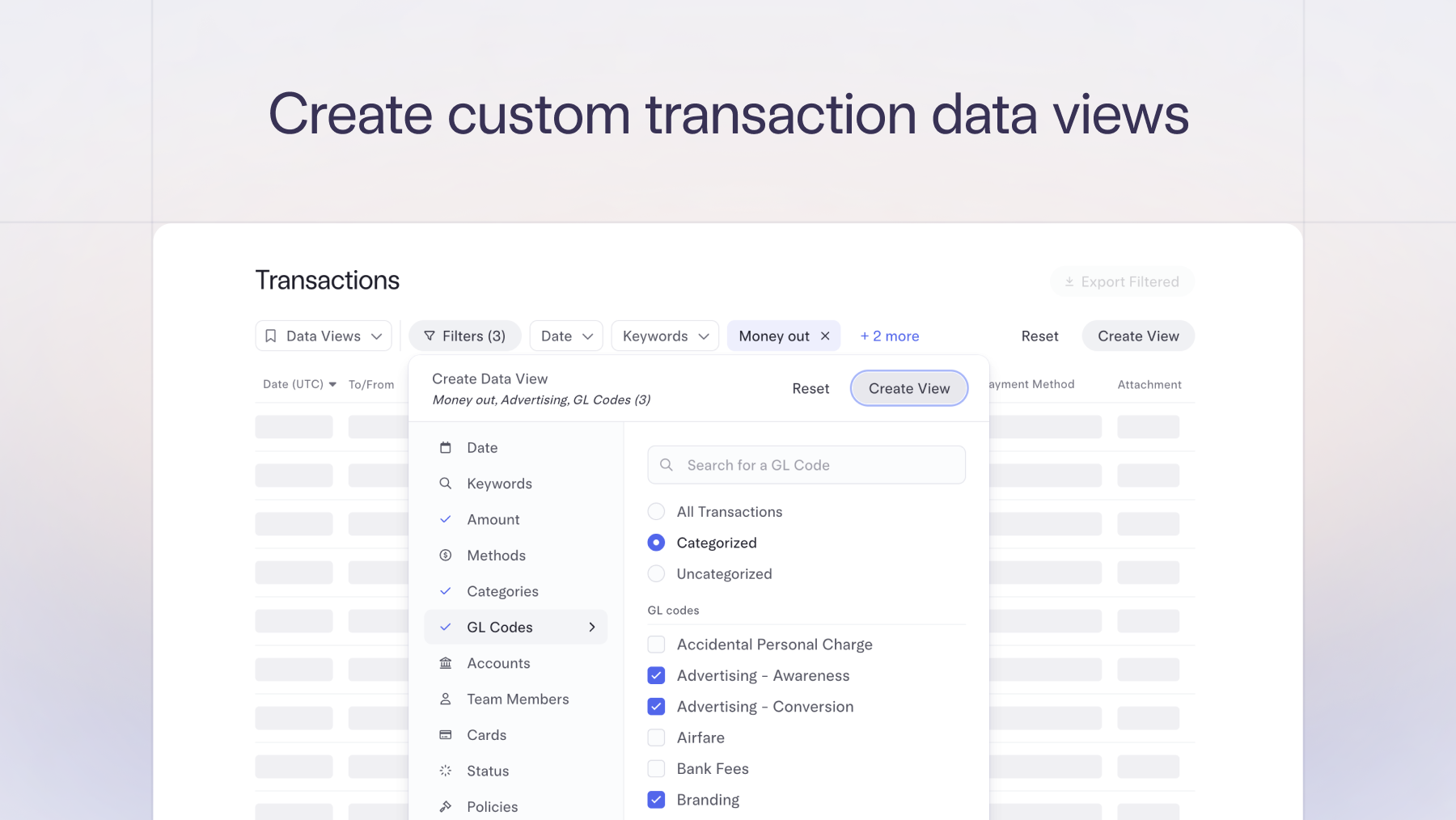
Filter and track recipient payments with ease
The new and improved Recipients page lets you quickly see the total amount paid to each of your recipients, sort for top vendors, and filter by year — perfect for collecting essential tax documents and keeping an eye on vendor spend.
Mar 1, 2025
Make same-day transfers in Mercury Treasury
Mercury Treasury, a Mercury Advisory product, now offers same-day transfers, so you never have to choose between earning yield and getting the liquidity your business needs. Same-day transfers are available for funds invested in the J.P. Morgan U.S. Treasury Plus Money Market FundOpens in new tabOpens in new tab. Simply initiate a transfer out of your Treasury account by 3 pm ET and see it land in your operating account by the end of the day.
Mercury Treasury is available for customers who have a balance of >$250K across their Mercury accounts. Check out our demo.
Mercury Treasury is available for customers who have a balance of >$250K across their Mercury accounts. Check out our demo.
Feb 15, 2025
Let customers pay by ACH debit
There’s a new way to let your customers pay. When you create an invoice, select ACH debit. Your customer only needs to authorize their bank account via Plaid once, and after that, payment details are saved for the next time, so they can pay with just a few clicks.
This feature is only available to Mercury Plus and Pro subscribers.
This feature is only available to Mercury Plus and Pro subscribers.
Feb 15, 2025
Split bills with multiple GL codes
Split bills with multiple GL codes. After you upload a bill or invoice, we will split the line items, and you’ll have the option to assign one or multiple GL codes to each. After the bill payment is made, it will automatically sync to your accounting software for more accurate and faster reconciliation. Next time you upload a bill, toggle on single or multiple GL codes on the Accounting Details screen. Available to Mercury Plus/Pro subscribers who have accounting integrations with either QuickBooks or NetSuite.
Feb 15, 2025

Match receipts and card transactions automatically
With automatic receipt matching for card transactions, you and your team can forward receipts to receipts@mercury.com or upload them in-app. We’ll automatically match them with the corresponding transaction based on the merchant, amount, and timestamp. This makes it easier for your team to stay compliant if you have a company receipt policy.
To upload a receipt, head to your Transactions page and click “Match receipts” or scan them in the mobile app and we’ll match them all at once. Learn more in our help center article.
To upload a receipt, head to your Transactions page and click “Match receipts” or scan them in the mobile app and we’ll match them all at once. Learn more in our help center article.
71–80 of 80