Filter Menu
Apply filters to the table, click close when done
No filters applied
Apr 28, 2026
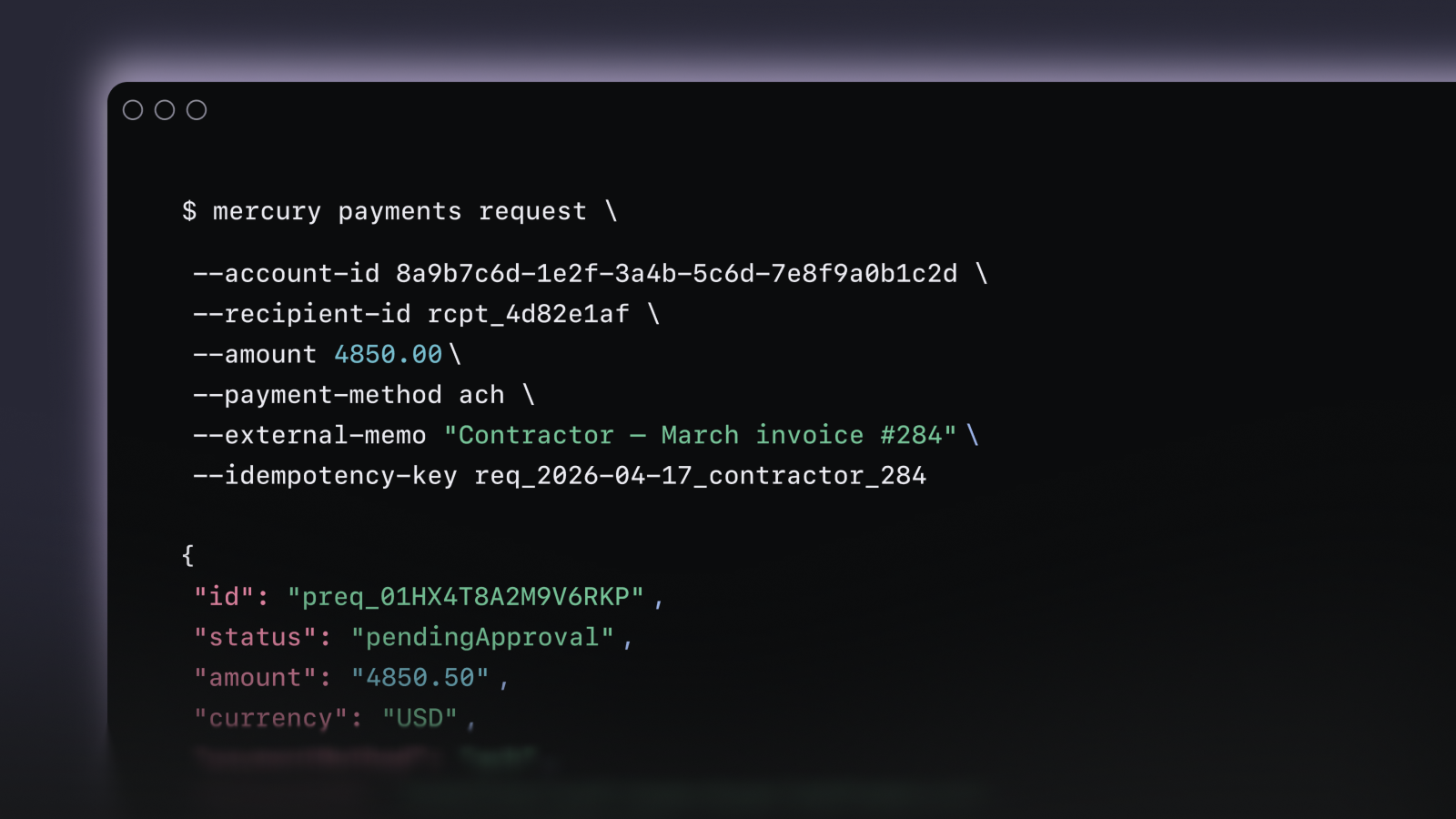
Command your money with Mercury CLI
Introducing Mercury CLI, a command-line interface for you and your agents to work directly with your Mercury account. Read balances and transactions, perform write actions like payments and categorization, and chain operations into scripts or agentic workflows. No brittle scrapers, CSV exports, or credential handoffs.
Apr 10, 2026
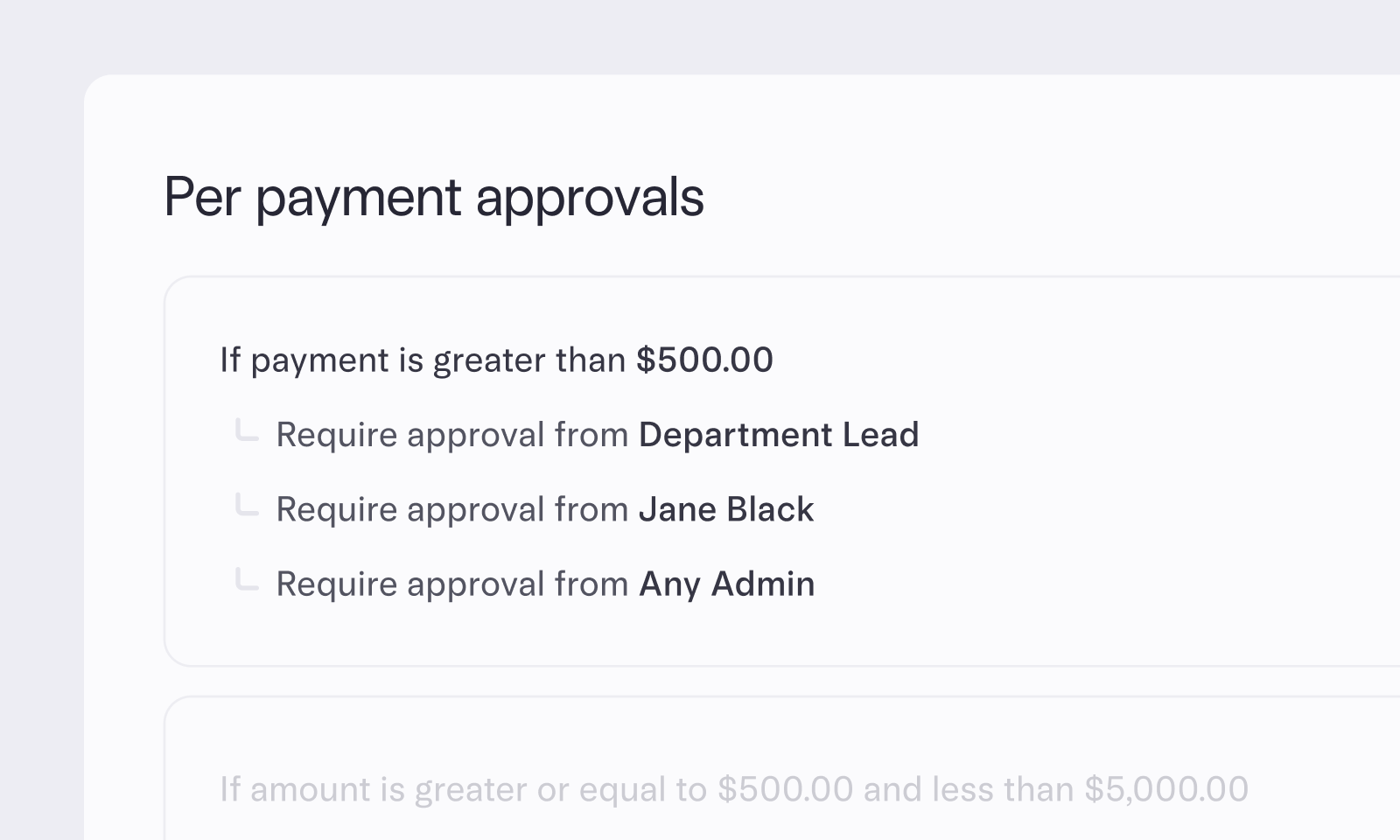
Refined approval controls
As your team grows, having the right people involved in per-payment approvals matters even more. Turning on separation of duties prevents self-approvals and ensures every payment is reviewed by someone other than the requester. You can now add any user or department lead to your approval workflow. Adding department leads as first approvers helps filter declined requests for your finance team or other admins.
Apr 3, 2026
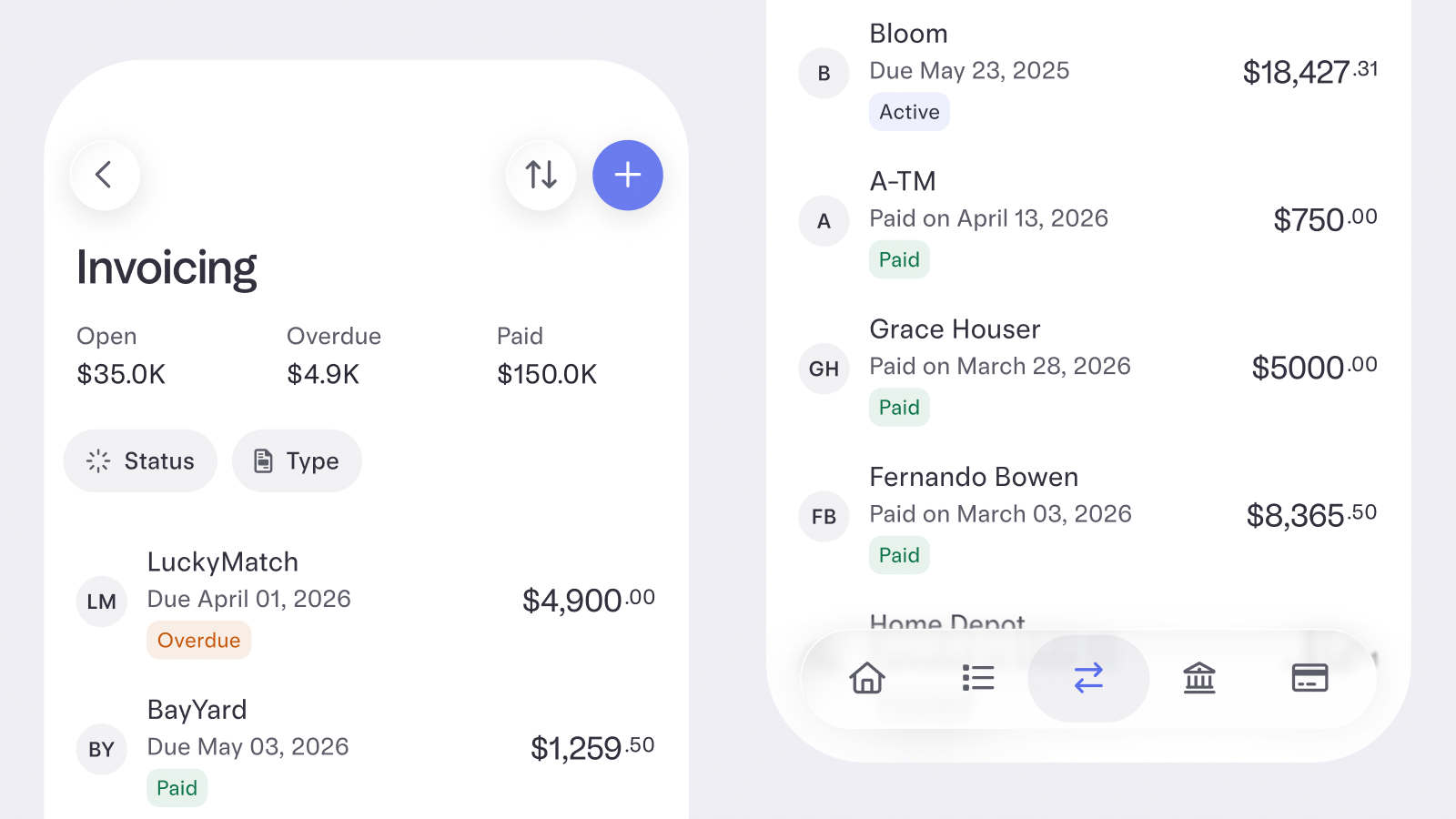
Invoice on mobile, send receipts, and more
You can now do more with Invoicing — wherever you are. Create invoices from the Mercury iOS app with full access to your item catalog, sales tax, due dates, and scheduled reminders.
Customers can now automatically receive a receipt when a payment clears and you can access both invoices and receipts as PDFs from the invoice details page.
Plus, invoice API read access is now free for all accounts, so you can query your data programmatically, or upgrade to Plus or Pro to create and send invoices via API.
Customers can now automatically receive a receipt when a payment clears and you can access both invoices and receipts as PDFs from the invoice details page.
Plus, invoice API read access is now free for all accounts, so you can query your data programmatically, or upgrade to Plus or Pro to create and send invoices via API.
Mar 11, 2026
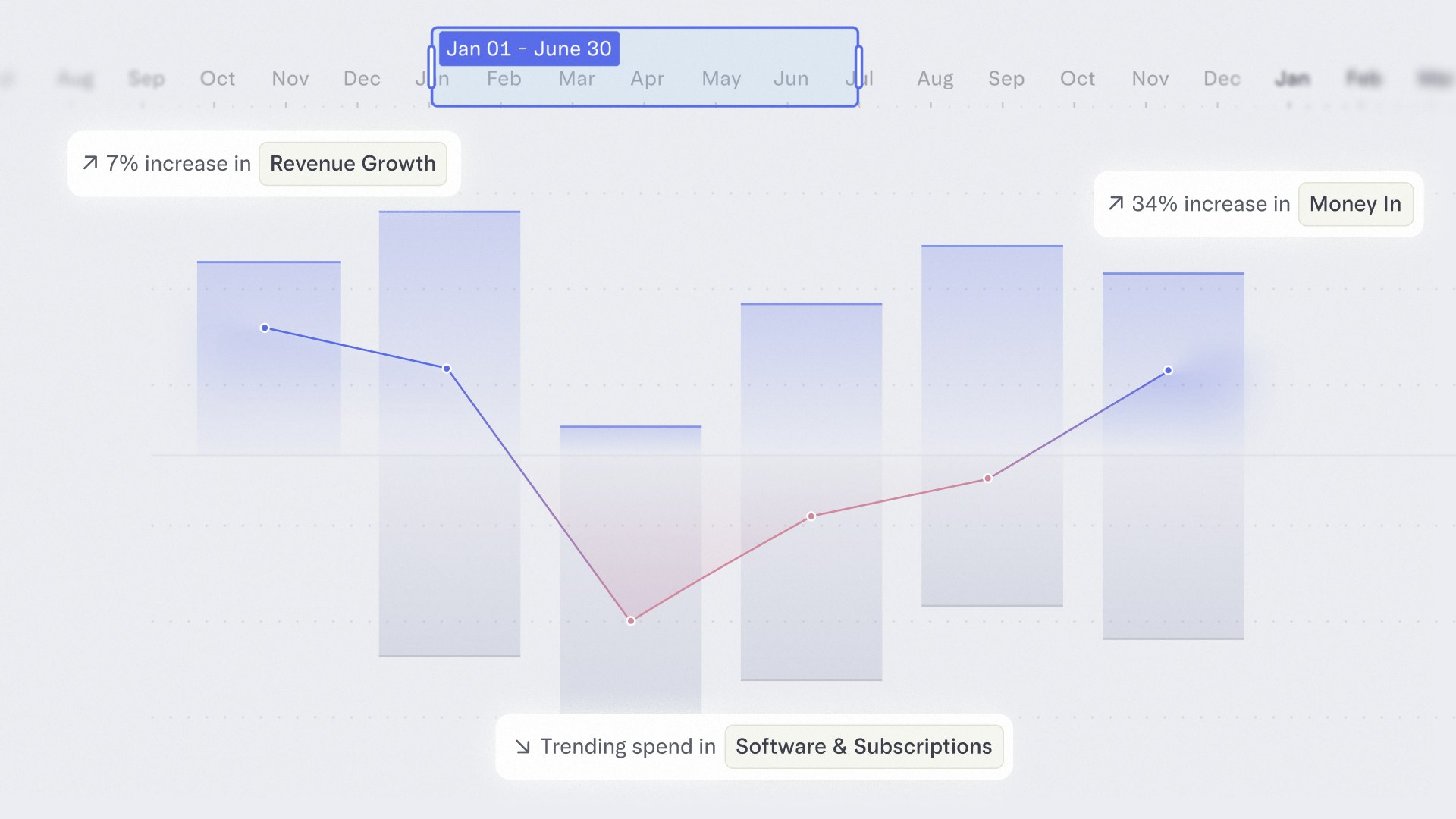
Real-time financial clarity, built right in
Mercury Insights is now live in your dashboard, giving you an overview of your financial data — whether you’re tracking your business or your personal spending. For business accounts, interactive charts and tables update automatically so you always know where things stand: filter and compare by time periods, get AI-powered cashflow alerts and ask a chatbot questions like “Why did expenses increase this month?”
Mar 11, 2026
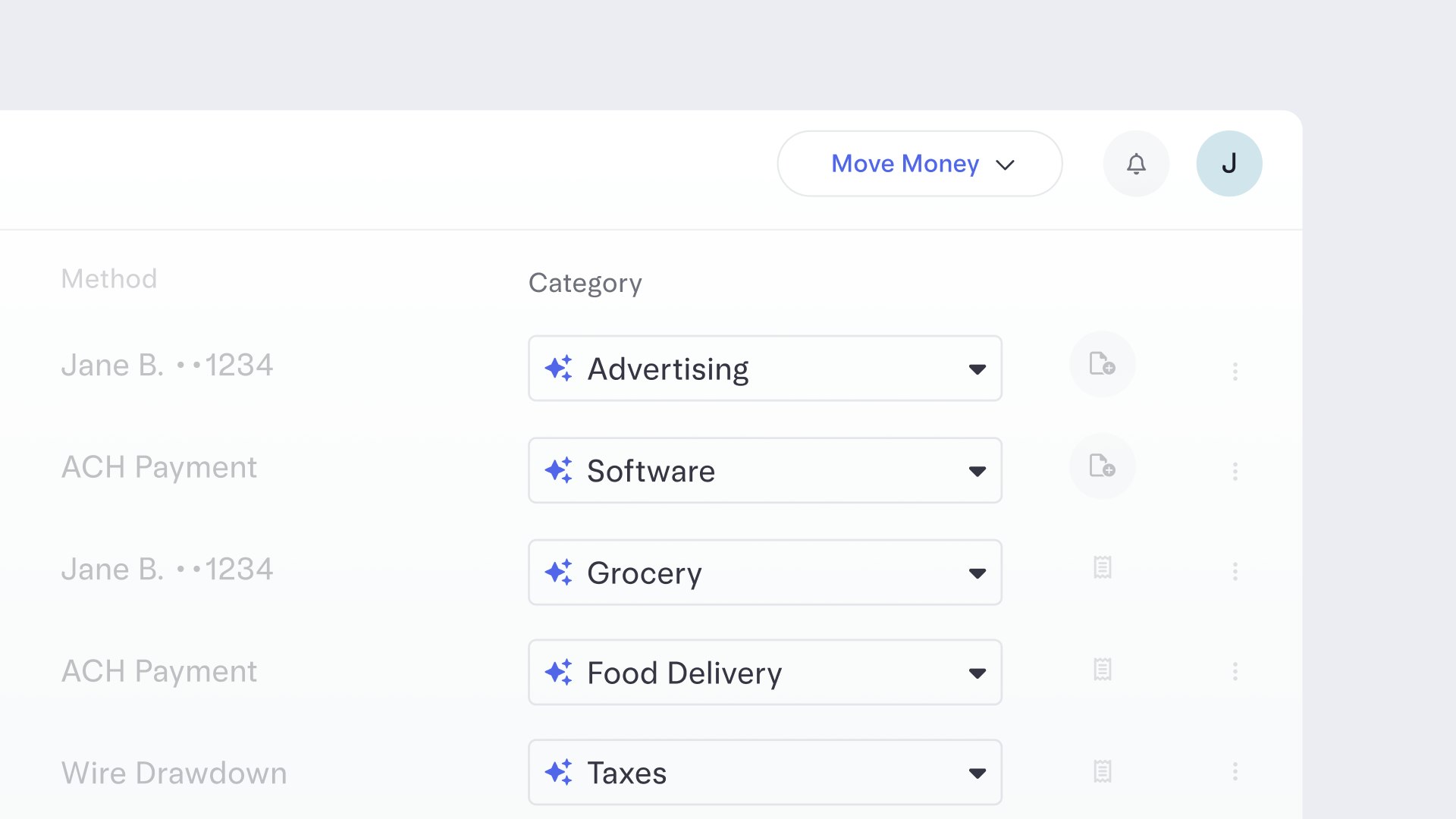
Transactions, now categorized for you
We now automatically categorize your transactions, no extra work required. That means clearer visibility into where your money is going and which categories are driving costs, so you can spot patterns and opportunities to optimize faster. You’re always in control: review, approve, or edit any suggested category at any time. And the more you adjust, the smarter Mercury gets over time.
Mar 2, 2026
Auto-transfer rules updates
Auto transfer rules now support custom nicknames and a built-in transaction history, so your cash management automations are easier to organize and track at a glance.
Feb 18, 2026
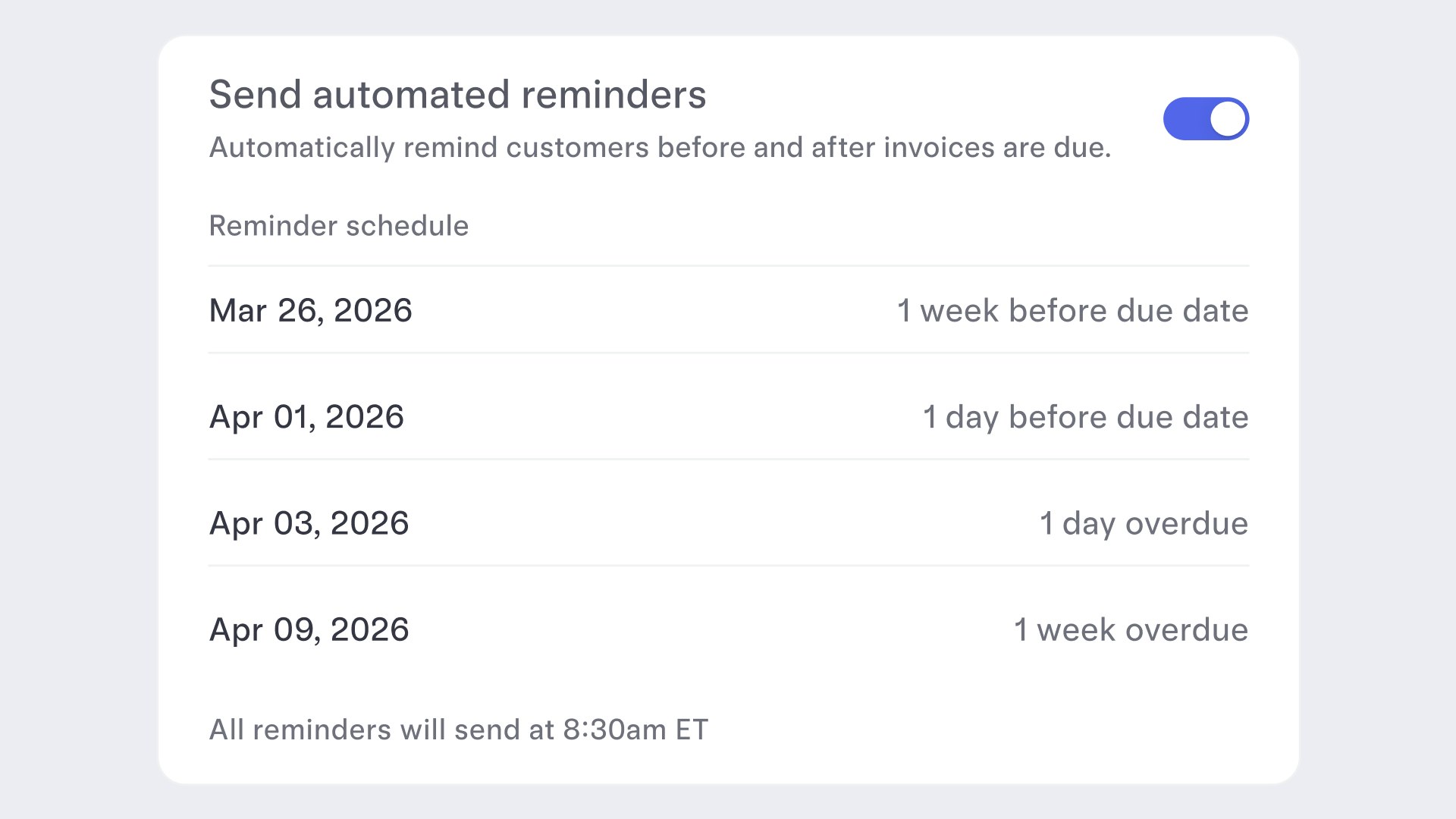
Set automated reminder notifications for invoicing
Turn on automated payment reminders and we’ll nudge your customers on a simple schedule — one week before, one day before, one day after, and one week after the due date — as long as the invoice is still active and unpaid. Now you can have a more predictable cash flow while you stay focused on running your business.
Jan 12, 2026
Updates to creating auto-transfer rules
Easily create auto-transfer rules with natural language. Just describe the money movement you want to automate, and AI will create a custom rule you can activate with one click.
Jan 1, 2026
File 1099s right in your account
If your business paid a vendor or contractor more than $600 in 2025, you may need to file a 1099, which you can now do directly inside your Mercury account without any separate tools or exports.
Just head to the new Taxes section under Payments in your Mercury dashboard, where you can manage all your recipient profiles and request W-9s, auto-fill 1099 forms with existing payment data, file federal and state 1099 forms, and even track, edit, void, or resubmit forms. Mercury Plus and Pro subscribers can even file federal and state 1099-NECs and MISCs for free.
Just head to the new Taxes section under Payments in your Mercury dashboard, where you can manage all your recipient profiles and request W-9s, auto-fill 1099 forms with existing payment data, file federal and state 1099 forms, and even track, edit, void, or resubmit forms. Mercury Plus and Pro subscribers can even file federal and state 1099-NECs and MISCs for free.
21–30 of 81