Filter Menu
Apply filters to the table, click close when done
Invoicing
+1 more
Invoicing
Jun 15, 2025
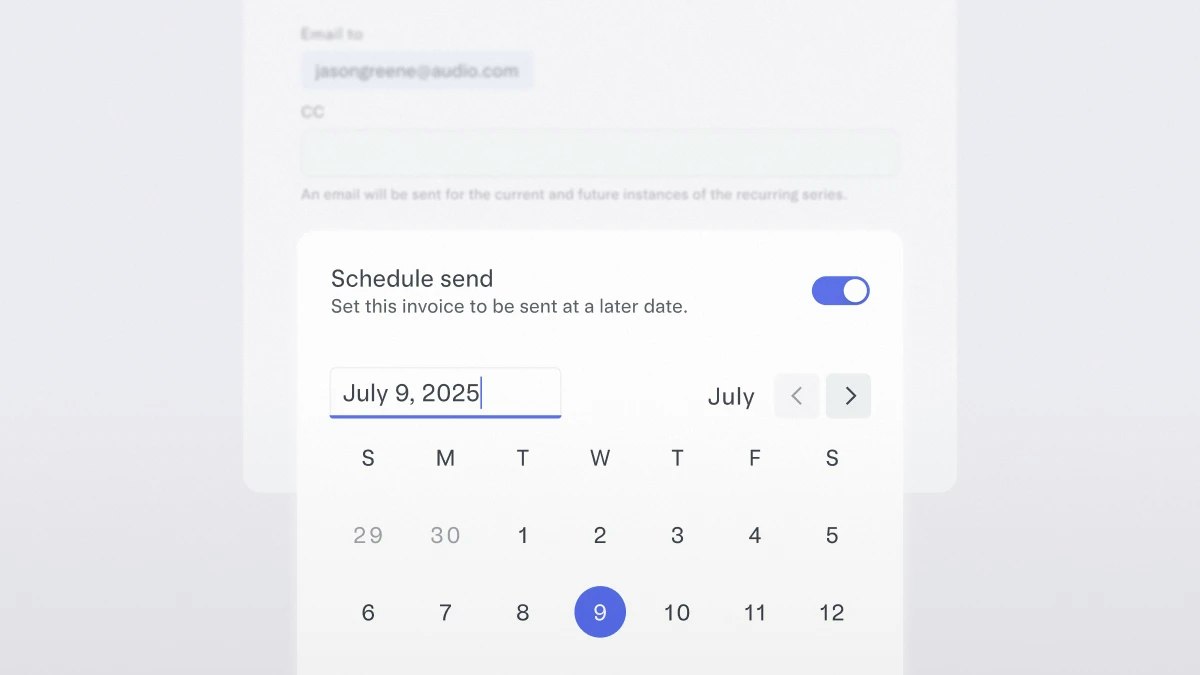
Timing your invoices
Now you can set it and forget it. With Mercury Invoicing, you can schedule invoices to go out on a future date — giving you more control over cash flow and fewer manual tasks.
Just head to Invoicing, click Create & Schedule, pick your date, and you’re set.
Just head to Invoicing, click Create & Schedule, pick your date, and you’re set.
Apr 15, 2025
Zero in on the one invoice you need
You can now filter for invoices however you want: by key details like due date, invoice status, customer, invoice number, and amount. Quickly check when payments are due, or toggle to view your recurring invoices — all in one streamlined view.
Apr 1, 2025
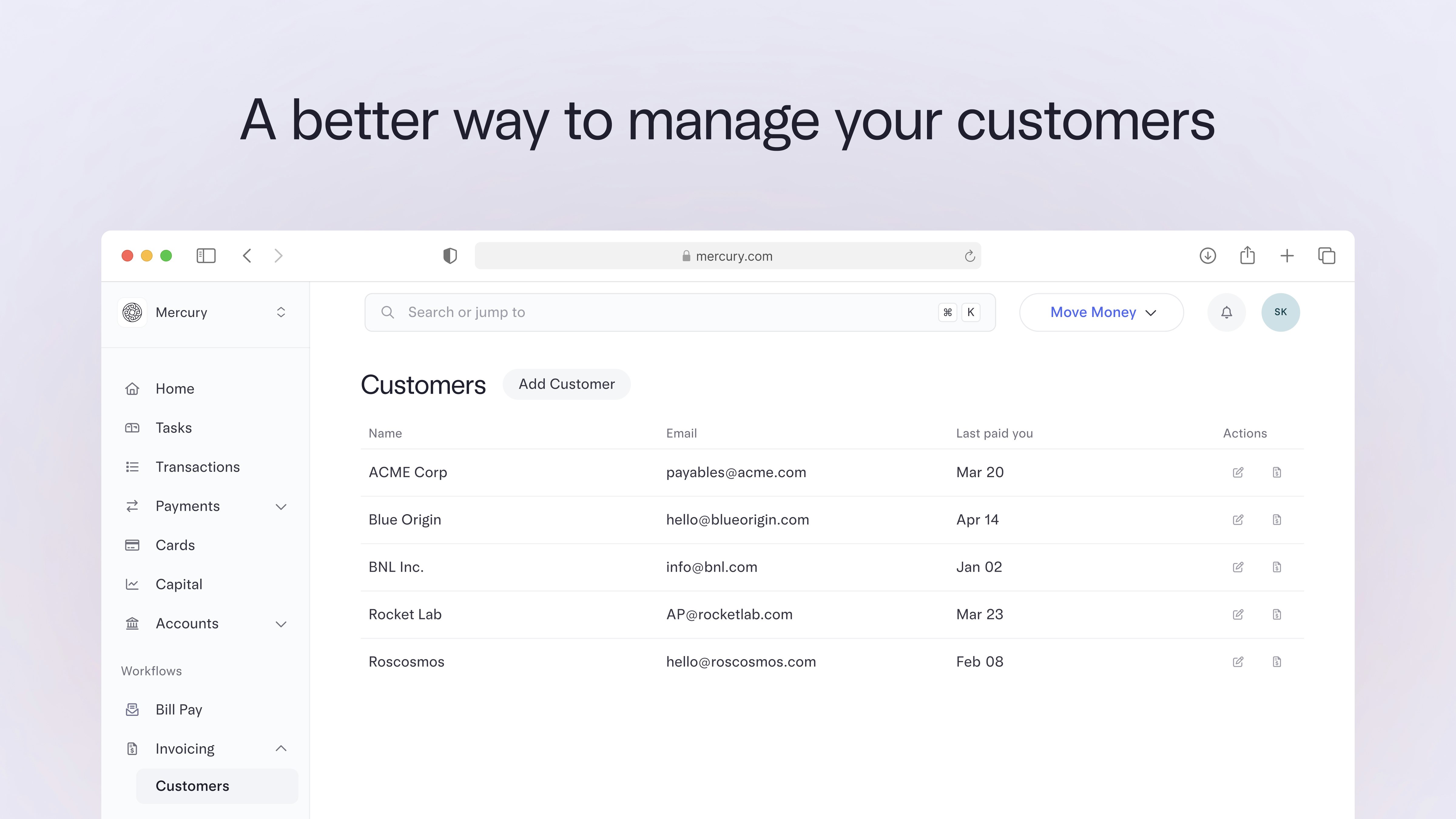
Keep customer info current, right in your account
As your customer list grows, you’ll want a simpler way to manage it. The new Customers page under Invoicing makes it easy to manage profiles and send invoices — all in one place.
Here’s what you can do:
To check it out, head to your sidebar, click Invoicing, then select Customers from the dropdown.
Here’s what you can do:
- Add, edit, or delete customer profiles with just a few clicks
- Send invoices directly from a customer profile to save time
- Update customer details in an invoice and apply changes across all open invoices
- Quickly view the latest payment info to stay on top of who’s paid you
To check it out, head to your sidebar, click Invoicing, then select Customers from the dropdown.
Feb 15, 2025
Let customers pay by ACH debit
There’s a new way to let your customers pay. When you create an invoice, select ACH debit. Your customer only needs to authorize their bank account via Plaid once, and after that, payment details are saved for the next time, so they can pay with just a few clicks.
This feature is only available to Mercury Plus and Pro subscribers.
This feature is only available to Mercury Plus and Pro subscribers.
11–14 of 14